
 |
| Lighter, faster, iOSified – with lots of polish. Behold OS X Mountain |
With my iMac being a 2008 edition, Mac OS X has had 4 OS upgrades over the last 4 years, going from Leopard, Snow Leopard, Lion and culminating in this weeks release of Mountain Lion. Windows in this period of time has had Vista and Windows 7, not withstanding service packs.
In terms of day to day experience, Snow Leopard was certainly the memorable release in terms of speed and ease of use between Leopard and Lion. 2011's Lion, I was always troubled with. Slow to start up and generally less than satisfying as an user experience. I started to think that future demands of the iMac would no longer be up to the task of future OS X releases, due to the sluggish nature of Lion. Essentially I've been planning an iMac replacement, sporting an SSD in the next 12 months.
I also wondered if this was justified, since one should be able to get very good mileage from iMacs. Notwithstanding the SSD, which I believe is essential as time moves on, upgrading to Mountain Lion has revealed that Lion's engineering performance was likely to be the source of the problem as much as hardware specs and expectations on my part. With no metrics or benchmark to hand, Mountain Lion contains a speed bump which is markedly positive and reverts the iMac performance back to the Snow Leopard days. In addition there are 2 other things which are stand-out of this release for me
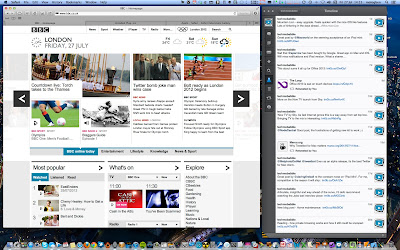
Safari – this was surprise. It now has the Chrome-like omnibar and it's damn fast. I mean faster than Chrome. Yes, I said that. It's also more likely to be more stable and less memory leaky or be the cause of white screen crashes. And that's with Flash still enabled. With Xmarks to keep by bookmarks in tow, Chrome has just been overthrown. I didn't see that one coming.
Airplay Mirroring – restricted to my 2011 Macbook Air, I can finally stream FoxSocerTV and Hulu to the big screen (I've given up on it ever coming to Boxee). And I've been pleasantly surprised, the scaling on Airplay mirroring to my Sony flat screen looks nice and is perfectly watchable. Not HD, but decent quality watchable. Of course, AirParrot has been around for a number of months and replicates the Airplay mirroring feature for pre 2011 Macs of all sizes. Using AirParrot, my iMac does take quite a performance hit on the CPU, due to the lack of support in the then ATI graphics chip GPU for encoding and scaling which is of course is now built into the Sandy and Ivy Bridge processors of latest Mac lines.
Beyond that, I'm ignoring all the other useful features such as Notification Centre, iCloud support, Gatekeeper security and integrated sharing with Twitter for most OSX updated apps added to all the other iOSification touches. But you can read that across the dozens of other great mainstream reviews like this one at Ars.
All this for £13 ($20). Now that is what I call added value.

