Showing posts with label OSX Mountain Lion. Show all posts

Friday, August 3, 2012

One for the toolkit – DiskWarrior for the new MacBooks

Since replacing the Macbook recently with the 11.6 Air, I had noticed that beyond the clone backups and the cloud syncing, if the worst should happen with the on board SSD, I'd have no DiskWarrior get out clause.

A quick surf around what Mac users with the no optical drive on the Macs do in this scenario, revealed a relatively straightforward answer which I thought I would share:

  • In this case, use a Mac which does have a SuperDrive on board
  • Insert the DiskWarrior DVD into the SuperDrive
  • Insert a good quality USB key (probably 2-4Gb storage) into the Mac
  • Fire up Disk Utility
  • Format the USB key as 'DiskWarriorDVD' to get it ready
  • Move to the Restore tab
  • Drag the DVD of DiskWarrior to the source field
  • Drag the USB drive of the DiskWarriorDVD to the destination field
  • Click Restore

Simply use DiskWarrior to create a bootable USB key for DiskWarrior
— perfect in the toolkit for the new MacBooks

That's it. Store the USB key somewhere you can remember.  If the worst should happen and the MacBook does not fire up.  Insert the USB key and press and hold Cmd + O until DiskWarrior has fired up.

Toolkit updated :)

Streaming to the big screen

With recent announcements in relation to the availability of Hulu Plus on Apple TV, plus the addition of AirPlay Mirroring for newer Macs on Mountain Lion, it was a good moment to check where I am on options in cutting the cord from satellite TV here in the UK. The essential aim is to be able to access web content on the big screen, ahead of UK based TV schedules.

Of course, BSkyB is very powerful in UK & European market terms, both in its variety, with agreements with TV networks and film studios, alongside their unrivalled ability to content via set top boxes, mobile and even internet subscriptions. All with DRM and related encryption technologies thrown in to boot.

Previously, I had been playing with the Boxee box.  A decent product overall, with key features such as VPN configurability to be able to access US based services such as Vudu to get 1080p movies and film shows. The only downers being in terms of the price per throw for each movie (as opposed to a monthly all you can eat price).  A complimentary entertainment source is Hulu, in the form of the Hulu Plus service, designed for consoles and media streamers with HD content baked right in.  To date, Hulu Plus has not been available on Boxee, and given its niche numbers, I wonder if it ever will be. Without Hulu, Boxee is always missing something which really transform its value for non-US users.

So if you want to get access to your Hulu standard def shows outside of the US and Japan, you turn to the web with a VPN. Enter AirPlay Mirroring. However, Apple enabled AirPlay Mirroring only on their newer Macs, due to performance issues on older ones with the newer requirements of the technology. Thankfully, outside the Mac App Store, there are other solutions.

AirParrot is an app I mentioned previously. I tested it with my 2008 iMac on 2 favoured use cases which matter to me. Namely streaming football via FoxSoccerTV and then of course Hulu. The mirroring was to my 5 year old 37" Panasonic 1080i Plasma TV to check the quality.

AirParrot streamed content from iMac to Panasonic Plasma 1080i set

As you can see from the screen shot, the quality of the stream across the LAN produces a smooth image with much of the anti-aliaising built into the TV signal processing.  Of course, what it distinctly lacks is any real sharpness or detail. But given that the source is standard definition or below web source, this is hardly surprising.

What was even more interesting is how hard the iMac was working, both in terms of packets across the LAN and how heavily the iMac CPU was being taxed.

Courtesy of iStats menus - how the iMac was working hard to
use Airplay over AirParrot
AirParrot can also allow you to extend your desktop while mirroring content.  This provides additional value in terms of being able to watch your footy or TV shows on a mirrored screen while working on your main monitor at the same time.  Seeing how taxing this is on machine resources, I am mindful of the types of apps I'd throw for doing other stuff — e.g no heavy lifting apps such as image processing or CAD drawing.

So where does this leave me?  Well for us non-US dreamers of Hulu on Boxee or Apple TV, we can still use standard definition as we had all along as long as we put our money down on a decent VPN connection.  Of course, I can sign up to Hulu Plus for $8 per month (enabled by having a US Credit Card or PayPal and a bona fide US address) and then stream via AirParrot on the older iMac or use proper Airplay Mirroring fro the MacBook Air to the TV in the lounge.  In that scenario, I would have access to HD quality streams where available on Hulu.  Beyond that, I can only hope that Hulu finally shows up on Boxee.  It's been a long time coming, given its availability on most other console and media streamer platforms, but it would certainly tick all of my key boxes to think seriously about cutting the cord on UK satellite and cable TV services.

Friday, July 27, 2012

Mountain Lion – Adding Value

Lighter, faster, iOSified –  with lots of polish.
Behold OS X Mountain

With my iMac being a 2008 edition, Mac OS X has had 4 OS upgrades over the last 4 years, going from Leopard, Snow Leopard, Lion and culminating in this weeks release of Mountain Lion.  Windows in this period of time has had Vista and Windows 7, not withstanding service packs.

In terms of day to day experience, Snow Leopard was certainly the memorable release in terms of speed and ease of use between Leopard and Lion. 2011's Lion, I was always troubled with. Slow to start up and generally less than satisfying as an user experience.  I started to think that future demands of the iMac would no longer be up to the task of future OS X releases, due to the sluggish nature of Lion.  Essentially I've been planning an iMac replacement, sporting an SSD in the next 12 months.   

I also wondered if this was justified, since one should be able to get very good mileage from iMacs. Notwithstanding the SSD, which I believe is essential as time moves on, upgrading to Mountain Lion has revealed that Lion's engineering performance was likely to be the source of the problem as much as hardware specs and expectations on my part. With no metrics or benchmark to hand,  Mountain Lion contains a speed bump which is markedly positive and reverts the iMac performance back to the Snow Leopard days. In addition there are 2 other things which are stand-out of this release for me

Safari – this was surprise. It now has the Chrome-like omnibar and it's damn fast. I mean faster than Chrome. Yes, I said that.  It's also more likely to be more stable and less memory leaky or be the cause of white screen crashes. And that's with Flash still enabled. With Xmarks to keep by bookmarks in tow, Chrome has just been overthrown.  I didn't see that one coming.

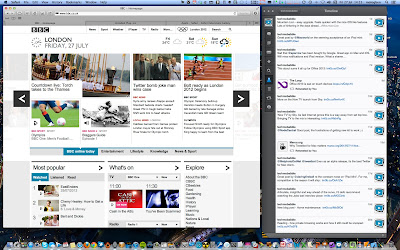
Airplay Mirroring – restricted to my 2011 Macbook Air, I can finally stream FoxSocerTV and Hulu to the big screen (I've given up on it ever coming to Boxee).  And I've been pleasantly surprised, the scaling on Airplay mirroring to my Sony flat screen looks nice and is perfectly watchable.  Not HD, but decent quality watchable.  Of course, AirParrot has been around for a number of months and replicates the Airplay mirroring feature for pre 2011 Macs of all sizes.  Using AirParrot, my iMac does take quite a performance hit on the CPU, due to the lack of support in the then ATI graphics chip GPU for encoding and scaling which is of course is now built into the Sandy and Ivy Bridge processors of latest Mac lines. 

Beyond that, I'm ignoring all the other useful features such as Notification Centre, iCloud support, Gatekeeper security and integrated sharing with Twitter for  most OSX updated apps added to all the other iOSification touches. But you can read that across the dozens of other great mainstream reviews like this one at Ars.  

All this for £13 ($20). Now that is what I call added value.